⚠ HIPAA 2026 — THE "ADDRESSABLE" OPT-OUT DISAPPEARS. FINAL RULE EXPECTED MAY 2026.
45 CFR § 164.312 · HIPAA COMPLIANCE

Your Screens Are a HIPAA Liability. The Clock Is Running.

Under current law, unattended screens showing patient data are an OCR enforcement risk. In 2026, the rules get stricter — and the opt-outs disappear entirely.
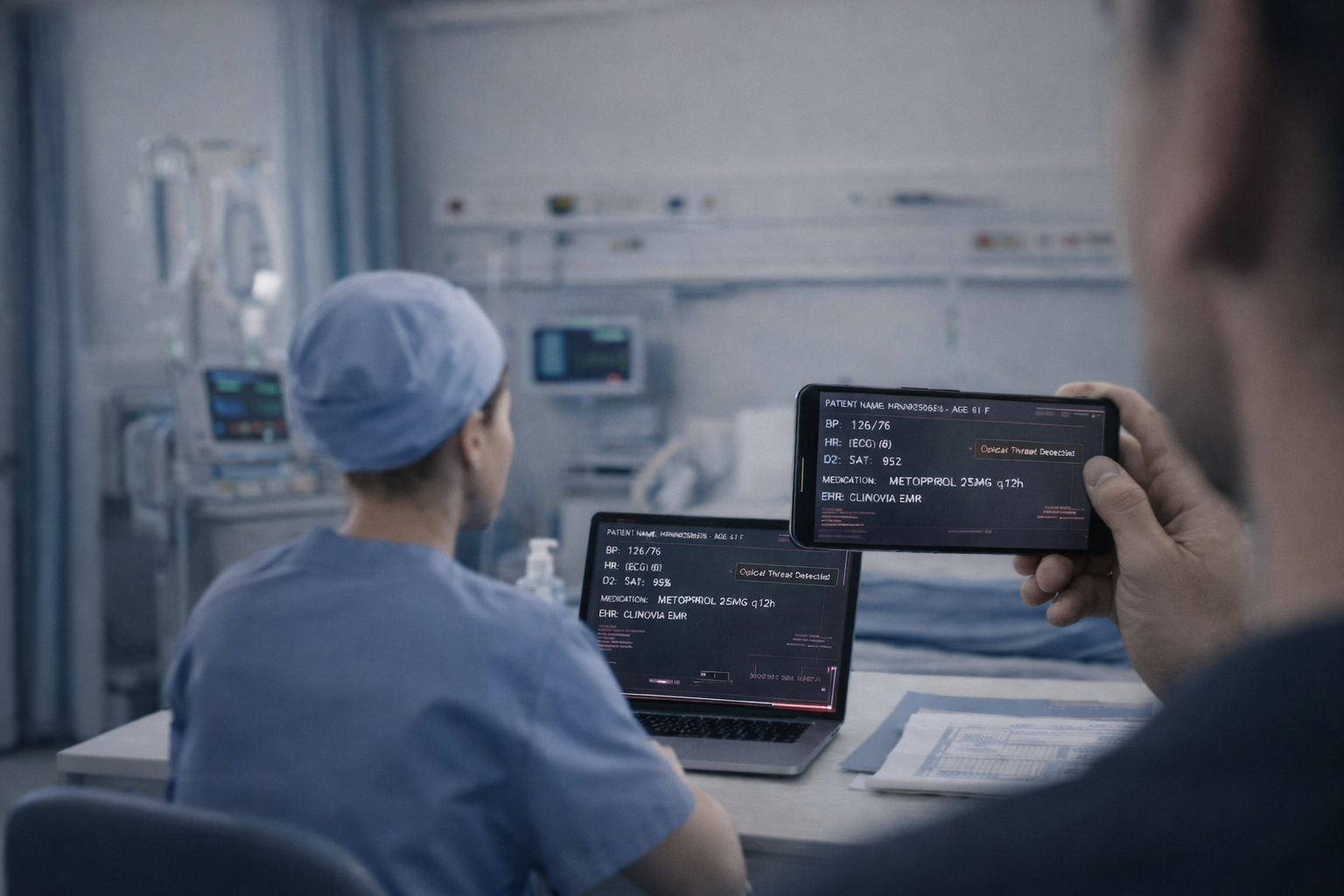
Unauthorized person photographing patient data on hospital workstation
⚡ 2026 UPDATE · HHS/OCR PROPOSED RULE (DEC 2024)

The biggest Security Rule update since 2013 eliminates the "addressable" category entirely.

Every safeguard becomes fully mandatory — no opt-outs, no alternatives. Final rule expected May 2026, with a 180-day compliance window. Organizations that wait for the final rule are already behind.

$2.19M
Max OCR fine
Tier 4 per violation
May 2026
Final rule expected
180-day window follows
100×
ROI on first
avoided audit finding
The Law Today

"Addressable" Does Not Mean Optional.

OCR expects every covered entity to implement session termination on unattended workstations — or produce written justification.

§ 164.312(a)(2)(iii) · AUTOMATIC LOGOFF

"Implement electronic procedures that terminate an electronic session after a predetermined time of inactivity."

§ 164.310(b) · WORKSTATION USE

"Implement policies and procedures that specify the proper functions to be performed, the manner in which those functions are to be performed, and the physical attributes of the surroundings of a specific workstation."

Auditors cite unattended screens as a root cause of reportable breaches: a patient seeing another's chart, a visitor at an unlocked terminal, an employee accessing records without authorization. Any of these can open an investigation. An investigation can open a fine.

The Gap

Why Current Tools Fall Short

The gap isn't your policy. It's the absence of screen threat detection.

Tool
Failure Mode
HIPAA Gap
Screen timeouts
Does nothing while someone stands behind a nurse for 45 seconds
No detection, no audit log
Badge-away systems
Can't detect a visitor, a second set of eyes, or a phone camera
No screen threat response
Staff training
OCR is explicit: human behavior is not a technical safeguard
Not an addressable control
Privacy screens
Passive — no detection, no response, no audit log
No automated safeguard
ScreenStop
Computer vision AI detects screen threats the moment they occur — responds automatically, before data is read
Audit log OCR will look for
Technical Safeguards

How ScreenStop Works

Four automated protection modes — each producing the audit trail §164.312 requires.

01
Unattended Workstation

No authorized user detected → session locks within seconds

02
Shoulder Surfing

Unauthorized face near screen → session terminates immediately

03
Continuous Identity

Confirms the right person stays at the workstation throughout the session

04
Camera Detection

Phone aimed at screen → display and USB ports disabled instantly

What OCR Sees in Your Audit Log
14:14:47 Unauthorized visual access detected
14:14:48 Visual safeguard executed → Session terminated → IT notified

This entry demonstrates automated detection + response — exactly what §164.312 compliance requires.

Don't wait for the audit to find the gap

One avoided OCR finding pays for years of ScreenStop.

The fine for willful neglect starts at $71,000 per violation and reaches $2.19M. The reputational cost of a photographed patient record has no ceiling.

1
30-min demo
Live screen threat detection on real workstations
2
Risk assessment
Map your exposure against §164.312 today
3
Deployment
Compliant in weeks, audit-documented from day one

Early customers receive Founding Customer pricing + complimentary OCR audit simulation.