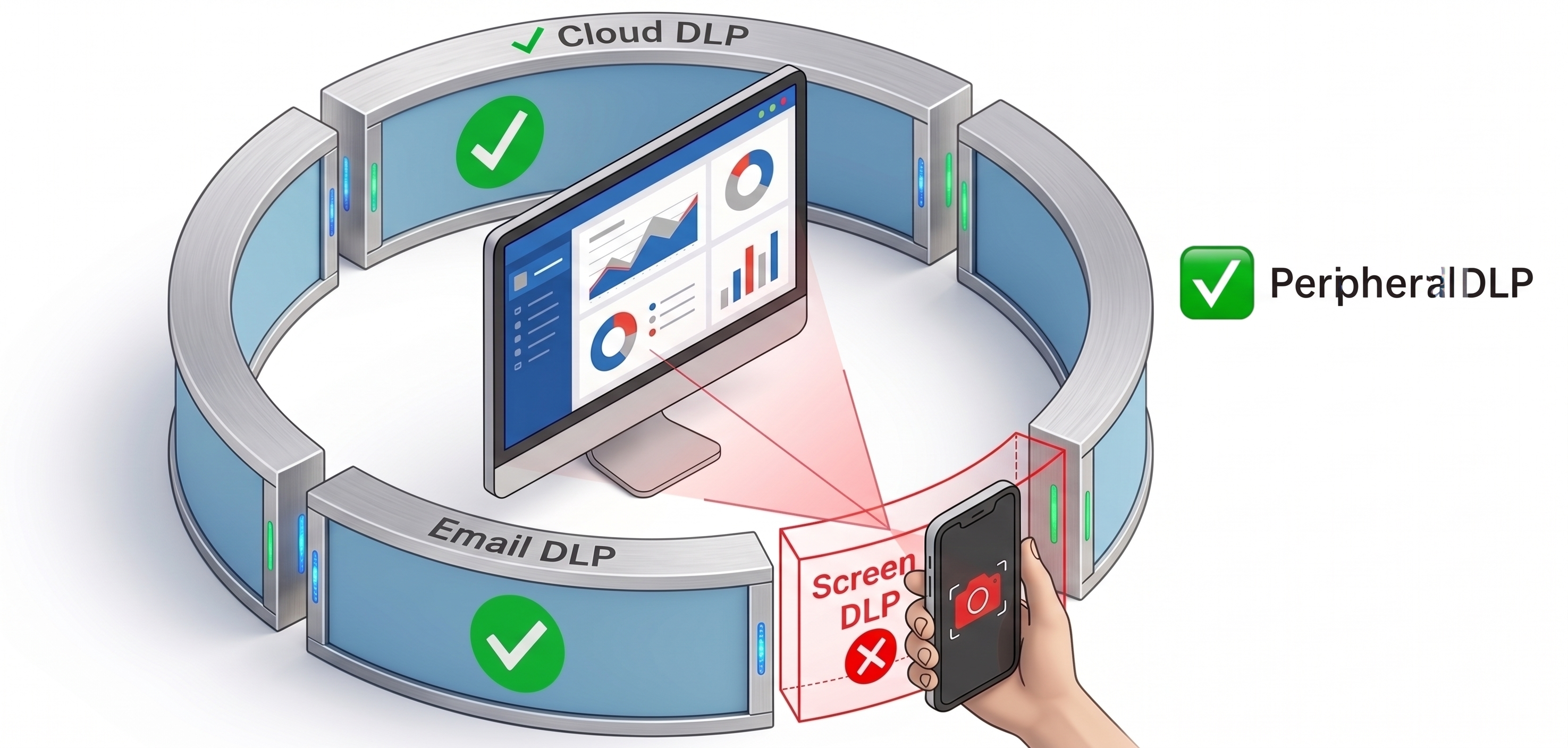
Traditional DLP protects data moving through networks and endpoints. Screen DLP protects data leaking through the one channel no tool has covered — the physical screen.
SEE SCREENSTOP IN ACTION
An employee points their phone at a screen showing sensitive data. Traditional DLP sees nothing — no copy, no paste, no upload. It never happened, digitally speaking.
A colleague, visitor, or attacker reads your screen from behind or beside you. No malware, no credentials, no network activity. 91% of visual hacking attempts succeed (3M Global Visual Hacking Experiment).
A workstation left unlocked with sensitive data visible. Anyone walking past can read, photograph, or memorize it. Standard screen lock timers kick in too late.
Screen DLP (Screen Data Loss Prevention) is the security category that detects and blocks data leakage through the physical screen layer. It uses on-device AI — typically running on the endpoint's existing webcam — to detect optical threats in real time: phone cameras pointed at screens, unauthorized viewers, and unattended screen exposure. Unlike traditional endpoint DLP, which controls digital data flows, Screen DLP addresses threats that leave no digital footprint.
See also: why traditional DLP misses this
| Capability | Traditional Endpoint DLP | Screen DLP |
|---|---|---|
| Detect phone camera pointed at screen | ❌ | ✅ |
| Detect shoulder surfing | ❌ | ✅ |
| Protect unattended screens | ⚠️ timer only | ✅ threat-aware |
| Block copy / paste / print | ✅ | ❌ different category |
| Detect file uploads | ✅ | ❌ different category |
| Works without network | ✅ | ✅ |
| Leaves no digital trace to detect | N/A | ✅ no cloud dependency |
On-device AI monitors the screen environment via the endpoint webcam. It recognizes threat patterns: a phone being raised, a face appearing in an unauthorized position, a screen left unattended.
Before data can be captured, the screen is blacked out or blurred. The action happens in milliseconds — before the shutter fires.
The security team receives a timestamped alert with threat classification. No sensitive data is captured or stored in the process.
Workstation security requirements mandate technical safeguards for screens displaying patient health information. Screen DLP is the enforcement layer for the physical screen.
See HIPAA coverage →Requires appropriate technical measures to protect personal data — including physical access controls. Screen DLP closes the gap between digital controls and physical exposure.
Clear desk and clear screen policy mandates that sensitive information is not left visible when unattended. Screen DLP is the technical enforcement layer for the clear screen requirement.
Physical security controls for cardholder data environments must prevent unauthorized access to systems displaying payment data. Screen DLP enforces this at the visual layer.
Screen DLP (Screen Data Loss Prevention) is the security category that detects and blocks data leakage through the physical screen layer. It uses on-device AI running on the endpoint's existing webcam to detect optical threats in real time: phone cameras pointed at screens, unauthorized viewers, and unattended screen exposure.
Traditional endpoint DLP controls digital data flows — copy, paste, print, upload. Screen DLP addresses threats that leave no digital footprint: a phone photographing a screen, a colleague reading over your shoulder, or a screen left unattended with sensitive data visible. These threats are completely invisible to traditional DLP.
No. ScreenStop runs entirely on the endpoint using the existing webcam. No data leaves the device. Detection happens locally in real time, with no cloud dependency required.
We built the first Screen DLP product. Try it free — no cloud, no data leaving your endpoint.