How it works
On-device detection with the endpoint's existing webcam. No new hardware, nothing leaves the device.

Phone Detection
A phone raised toward a screen showing sensitive data is detected and the screen is protected before capture.

Face Recognition
A stranger sitting down at the workstation is detected and the screen locks. Only the enrolled user works uninterrupted.

Shoulder Surfing
An extra viewer appearing in the camera field while sensitive data is visible triggers a silent alert or an immediate lock.

Unattended Screen
A workstation left unlocked with no authorized user present is protected automatically. Not a timer — a detection event.
Privacy
Private by design
- ✓All detection runs locally on the endpoint — no video or images ever leave the device.
- ✓No recording, no audio, no cloud processing. The webcam is analyzed in memory, frame by frame.
- ✓Only event metadata (timestamp, threat type) reaches the dashboard; capture frames are stored only if the administrator explicitly enables it.
Enforcement
Protection users cannot switch off
- ✓Covering or blocking the camera is itself a detection: the station raises a camera event and can lock the screen until the camera is restored.
- ✓Killing the agent is treated as tampering — the screen locks, and a watchdog restarts the protection automatically.
- ✓Uninstalling or reconfiguring requires administrator rights. The user has no off switch.
Central events
Every event, one log
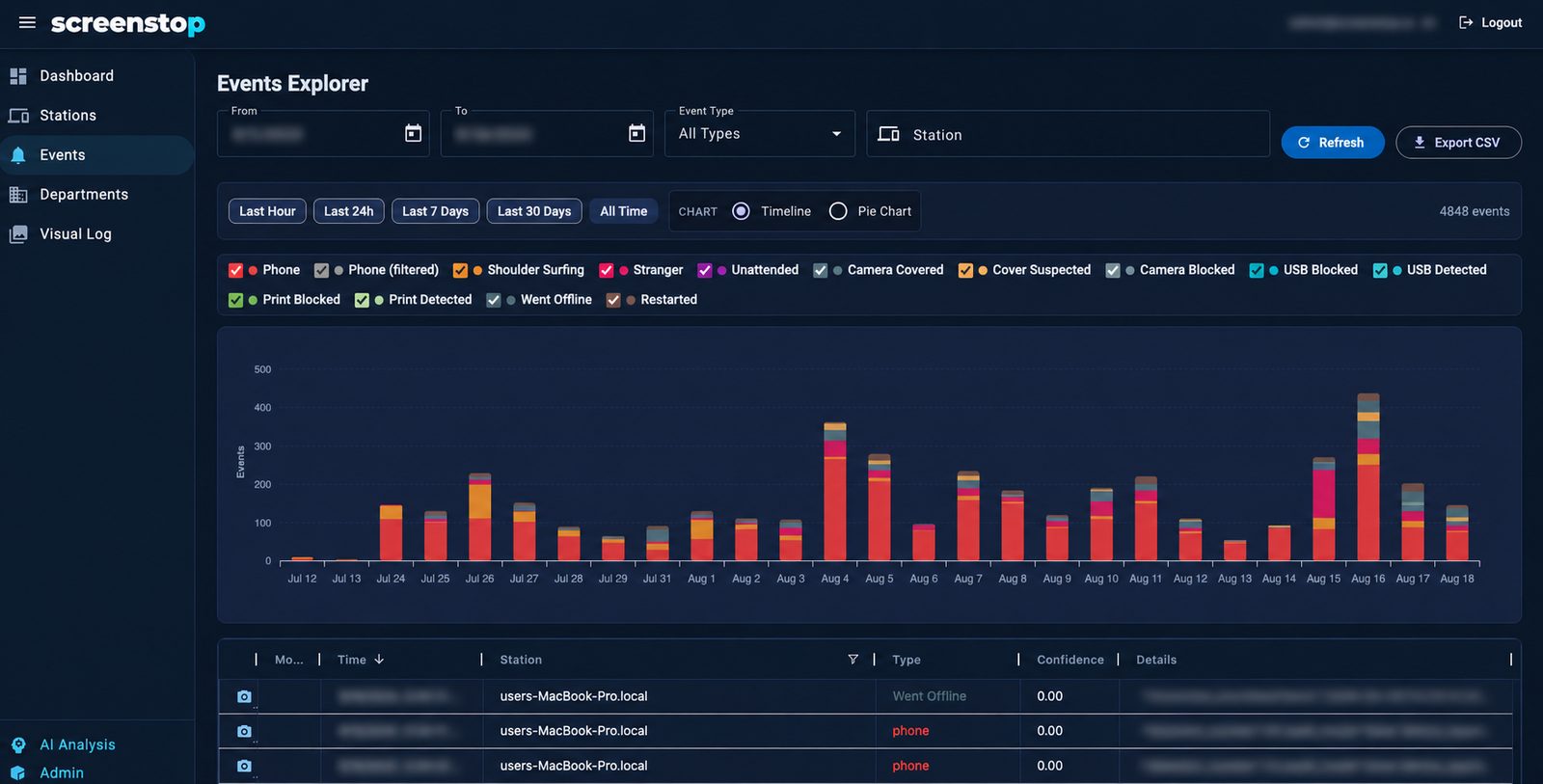
- ✓Every detection on every station lands in the central Events Explorer — filter by station, type, or time range.
- ✓Each event carries its detection frame (when enabled), so reviewers see exactly what triggered it.
- ✓Export to CSV or feed your SIEM — the audit trail your compliance framework asks for.
Visual log
A visual audit trail
- ✓Separate from events: an optional visual log records periodic station snapshots to the dashboard.
- ✓Auditors can verify what a workstation looked like at any point — without standing behind the desk.
- ✓Fully admin-controlled: enabled per department, with retention managed centrally.
Central configuration
Departments, not machines
- ✓Group stations into departments — the call floor, the back office, the home workers.
- ✓Set policy once per department: detection sensitivity, response mode, silent or live, visual log on or off.
- ✓Every station syncs its department policy automatically — no per-machine setup, and the dashboard shows exactly which stations have the current config applied.
Ready to protect your screens?
See ScreenStop live on your own use case.
Compliance-ready: ISO 27001 · GDPR · HIPAA · PCI DSS